






















Grow A Garden
- Rating
- ★ 3.3/5
- Played
- 103
- Developer
- Splitting Point Studios
- Category
- Hypercasual
- Released
- 2026
- Last Updated
- September 12, 2026
- Technology
- HTML5
- Platforms
- Browser (desktop, mobile, tablet)
About Grow A Garden
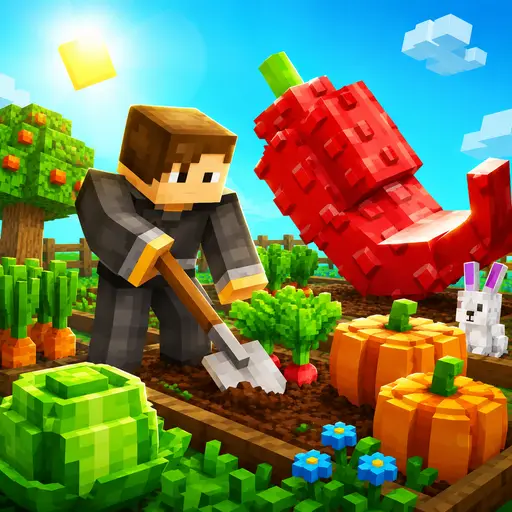
Grow A Garden invites you to start with a modest plot of soil and turn it into a bustling farmstead. Plant a variety of seeds—vegetables, fruits, and flowers—watch them grow, and harvest for Sheckles, the in‑game currency.
Gameplay Overview
The core loop is simple: buy seeds at Sam’s Shop, place them in garden plots, wait for growth cycles, then harvest and sell. As you accumulate Sheckles you can expand your land, purchase higher‑yield seeds, and upgrade tools that speed up planting or increase harvest value.
The mouse wheel lets you zoom in for detailed planting or out for a full‑garden view, while the WASD or arrow keys let you walk around your plots.
Progression & Rewards
Seasonal events and special quests add fresh objectives. Completing a quest may reward rare seeds, decorative items, or eggs that hatch into pets with passive bonuses. Weather‑driven mutations can turn ordinary crops into oversized, high‑price variants, adding a strategic layer to timing your harvests.
Earned Sheckles can be spent on decorative items that personalize your space, or on gear such as faster watering cans and auto‑harvest tools that streamline daily chores.
Why It Stands Out
The game blends relaxed farming with light strategy, making it suitable for short sessions or longer play. Its HTML5 Unity WebGL foundation means it runs smoothly on desktop and mobile browsers without downloads. If you enjoy garden‑themed management, you might also like Gardenscapes for a story‑driven twist, GROW WARS.IO for competitive farming battles, or Gloves Grow Rush for fast‑paced crop challenges.
Regular updates introduce new seed types, limited‑time weather effects, and seasonal quests, keeping the experience fresh for returning players.
How to Play Grow A Garden
When you first load Grow A Garden, use the WASD keys or arrow keys to move your character around the starting plot. Approach Sam’s Shop and click to purchase basic seeds.
Select a seed from your inventory, click on an empty garden plot to plant, and wait for the growth timer to finish. Once mature, click the crop to harvest and sell it at the market for Sheckles.
Reinvest your earnings to unlock larger plots, better tools, and pets that give passive bonuses. Completing quests and seasonal events provides extra seeds and exclusive decorations.
Grow A Garden Controls
- W / Arrow Up — move forward
- A / Arrow Left — move left
- S / Arrow Down — move backward
- D / Arrow Right — move right
- Mouse Click — interact (buy
- plant
- harvest)
- Mouse Wheel — zoom in/out
Features
- Plant and harvest a wide variety of crops
- Expand your garden with purchasable plots
- Unlock pets that provide passive bonuses
- Seasonal events and weather mutations for rare crops
- Customize garden with decorative items and gear
- Simple mouse‑wheel zoom and keyboard navigation
Tips and Tricks
- Focus on high‑yield seeds early to boost earnings
- Watch weather forecasts for mutation opportunities
- Upgrade tools before expanding to improve efficiency
- Complete daily quests for free seeds and exclusive items
- Use the zoom function to plan planting layouts
More Games Like Grow A Garden
FAQ
Yes, Grow A Garden is completely free and runs directly in your web browser.
No download is required; the game uses HTML5/Unity WebGL and works in modern browsers.
The controls work with touch‑screen taps and virtual on‑screen buttons, so you can play on phones and tablets.
Harvest crops and sell them at the market for Sheckles, then use the currency to buy better seeds, tools, and upgrades.
Grow A Garden is a single‑player experience; there is no multiplayer or competitive mode.
Gameplay Video
Watch a quick gameplay preview, then find Grow A Garden on your favorite store.