




















Mineland Online
- Rating
- ★ 5.0/5
- Played
- 568
- Developer
- Mineland
- Category
- 3D
- Released
- 2026
- Last Updated
- August 06, 2026
- Technology
- HTML5
- Platforms
- Browser (desktop, mobile, tablet)
About Mineland Online
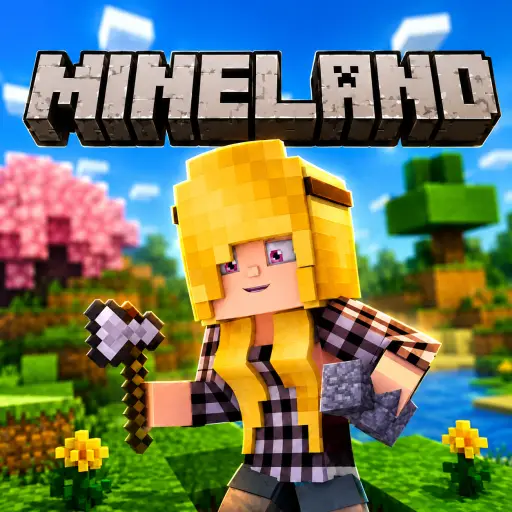
Mineland is a free-to-play HTML5 voxel sandbox that brings the classic block-building and survival experience directly to your browser. Heavily inspired by legendary titles in the genre, this massive multiplayer world allows you to mine resources, craft essential tools, and construct everything from simple shelters to towering castles without any downloads. Whether you are looking to survive against the elements or collaborate on creative projects, Mineland offers an accessible entry point into 3D sandbox gaming.
Core Gameplay and Survival
Your journey begins with gathering basic materials. Punch trees to collect wood, then craft pickaxes and shovels to mine stone, iron, and diamonds. Survival requires resourcefulness; you must build a safe base to protect yourself and craft armor and weapons to defend against threats. The game supports both solo exploration and online multiplayer, letting you team up with friends for large-scale builds or compete in the open world. If you enjoy this style of creative freedom but want a different visual aesthetic or challenge, you might also like Minecraft Online 2024 for a more traditional experience.
Browser-Based Accessibility
Unlike many complex 3D games, Mineland runs entirely in your web browser using HTML5 technology. This means instant access on PC, Mac, tablets, and mobile devices without installing extra files. The controls adapt seamlessly to your device, offering keyboard and mouse support for desktop players and intuitive on-screen joysticks for touchscreens. For players who prefer the nostalgic feel of earlier voxel iterations, Online game Minecraft Classic provides another excellent browser-based alternative. Mineland combines modern multiplayer functionality with the timeless appeal of blocky creativity, making it a standout choice for fans of the genre seeking immediate, unblocked gameplay.
How to Play Mineland Online
Start by exploring your surroundings and punching trees to gather wood, which is essential for crafting your first tools. Use these basic items to mine stone and other resources needed for better equipment and building materials.
Construct a shelter before nightfall or dangerous mobs appear to ensure your survival. Open your inventory to craft weapons, armor, and advanced blocks that will help you progress further into the world.
Join the multiplayer servers to collaborate with other players on massive builds or explore together. Use the hotbar to quickly switch between tools and blocks as you expand your empire across the infinite voxel landscape.
Mineland Online Controls
- WASD — Move
- Mouse — Look around
- Left Click — Break blocks / Attack
- Right Click — Place blocks
- Space — Jump
- Shift — Sneak
Features
- Massive multiplayer voxel sandbox world
- Instant browser-based HTML5 gameplay
- Full crafting and resource gathering system
- Cross-platform support for PC and mobile
- Collaborative building and PvP modes
- No download or installation required
Tips and Tricks
- Always carry extra wood and stone for emergency tool repairs while exploring.
- Build your first shelter near water and trees for easy resource access.
- Craft a sword early to defend against hostile mobs at night.
- Use Shift to sneak when building over voids to avoid falling.
- Team up in multiplayer to gather rare resources faster and safer.
More Games Like Mineland Online
FAQ
Yes, Mineland is completely free to play directly in your browser with no hidden costs or premium requirements.
No downloads are required. The game is fully browser-based and loads instantly on desktop and mobile devices.
Yes, Mineland supports mobile and tablet play with dedicated on-screen joystick and action button controls.
Yes, it features online multiplayer where you can team up with friends or interact with other players in the shared world.
Progress is typically tied to your browser session or account login if available; check the in-game menu for specific save options.