















Minecraft Online
- Rating
- ★ 4.8/5
- Played
- 875k
- Category
- Adventure
- Last Updated
- August 05, 2026
- Technology
- HTML5
- Platforms
- Browser (desktop, mobile, tablet)
About Minecraft Online
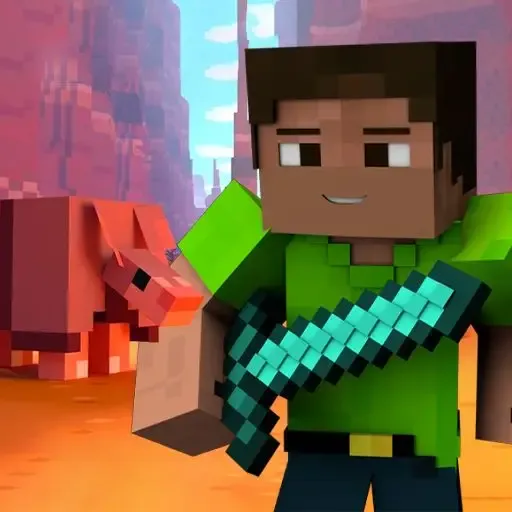
Minecraft Online brings the iconic block-building experience directly to your browser without any downloads or installations. This free HTML5 game captures the essence of voxel sandbox gameplay, allowing you to explore procedurally generated worlds, gather resources, and construct elaborate structures in a familiar pixelated aesthetic. Whether you are looking to recreate famous landmarks or simply experiment with creative building, Minecraft Online provides an accessible platform for instant blocky adventures.
Creative Building and Exploration
The core appeal of Minecraft Online lies in its open-ended freedom. Players can mine various block types, craft tools, and shape the terrain to their liking. The game supports both solo exploration and shared sessions, making it a versatile choice for fans of the genre. If you enjoy the classic browser-based alpha feel, you might also appreciate Online game Minecraft Classic for a nostalgic trip back to the original pre-release version. Both titles offer that pure, unadulterated sandbox experience that defined a generation of gaming.
Multiplayer and Social Play
While building alone is satisfying, Minecraft Online shines when played with others. The 2-player and multiplayer capabilities allow friends to collaborate on massive projects or compete in mini-challenges within the same world. For those who prefer competitive action over peaceful construction, consider trying 5 MiniBattles for quick local multiplayer fun, or dive into survival horror with Deep Space Horror: Outpost if you want a darker twist on 3D exploration. Minecraft Online remains a staple for players seeking immediate, creative entertainment that runs smoothly on modern web browsers.
This title is perfect for short play sessions or extended building marathons. With no barriers to entry, it serves as an excellent introduction to voxel games or a convenient alternative when you cannot access the full desktop version. Jump in today to start crafting your own unique world directly online.
How to Play Minecraft Online
Launch Minecraft Online directly in your browser to spawn into a fresh, procedurally generated world. Use your mouse to look around and interact with blocks, while keyboard keys handle movement and inventory management. Your primary objective is to gather resources like wood and stone to craft tools and build shelters before night falls.
Navigate the interface to select different block types from your hotbar. Left-click typically breaks blocks to collect materials, while right-click places them to construct structures. Experiment with combining resources to unlock new crafting recipes that aid in exploration and building efficiency.
In multiplayer modes, coordinate with other players to share resources or divide building tasks. Communication and planning are key to completing large-scale projects efficiently. Save your progress regularly if the session supports it, ensuring your creations persist for future visits.
Minecraft Online Controls
- WASD — Move character
- Mouse — Look around / Place or break blocks
- Space — Jump
- E — Open inventory / Crafting menu
- 1-9 — Select hotbar slot
- Shift — Sprint
Features
- Instant browser-based voxel sandbox gameplay
- Procedurally generated infinite worlds
- Multiplayer support for collaborative building
- Classic block-breaking and placing mechanics
- No download or installation required
- Cross-platform compatibility via HTML5
Tips and Tricks
- Gather wood immediately upon spawning to craft basic tools for faster resource collection.
- Build a simple shelter before nightfall to protect against potential hostile mobs.
- Use shift-clicking in the inventory to quickly move stacks of items between chests.
- Explore caves cautiously by placing torches frequently to prevent mob spawns behind you.
- Collaborate with teammates in multiplayer to assign roles like miner, builder, or explorer.
More Games Like Minecraft Online
FAQ
Yes, Minecraft Online is completely free to play in your web browser with no downloads, purchases, or account creation required.
The game is optimized for desktop browsers using keyboard and mouse controls. Mobile support may be limited due to complex touch inputs required for precise block placement.
Yes, Minecraft Online includes multiplayer functionality allowing you to join servers or play with friends in shared worlds for collaborative building.
Progress saving depends on the specific server or session type. Some browser versions use local storage, while official servers may require an account login to retain builds.
As an HTML5 browser game, it runs on most modern computers with WebGL support. A stable internet connection is recommended for smooth multiplayer performance.