















DIY Keyboard
- Rating
- ★ 4.3/5
- Played
- 4k
- Developer
- CrazyLabs LTD
- Category
- 3D
- Released
- 2022
- Last Updated
- September 30, 2026
- Technology
- HTML5
- Platforms
- Browser (desktop, mobile, tablet)
About DIY Keyboard
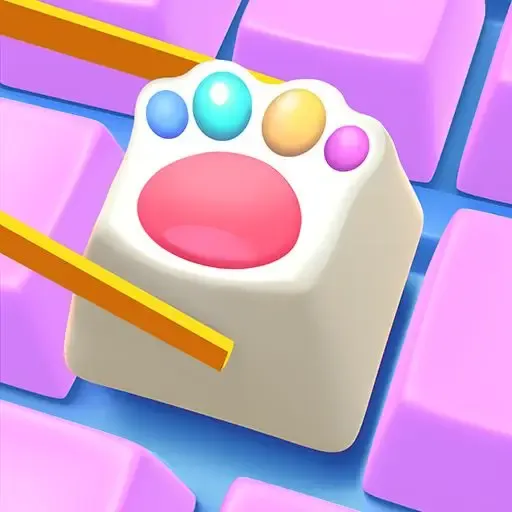
DIY Keyboard lets you become a virtual keyboard designer using a simple 3D art painter interface. Choose colors, patterns, and textures for every key, then watch your custom creation come to life. The game focuses on creativity rather than fast‑paced action – you select a key, apply a hue or decal, and repeat until the whole board reflects your style.
How it works
Start with a blank keyboard layout. A palette of colors and decorative stickers appears on the side. Click a key, pick a shade, and paint. You can also add glow effects or metallic finishes for a premium look. Once you’re satisfied, hit the preview button to see a short animation of your design rotating in 3D.
Why you might enjoy it
If you like visual customization games such as Minecraft Online or the coloring fun of Squid Game Coloring Book, DIY Keyboard offers a similarly relaxing, sandbox experience. There are no levels to beat, just endless possibilities for personal expression.
The interface runs smoothly in any modern browser, and because it’s built with HTML5 you can play on desktop or mobile without installing anything. Ads appear between design sessions, but they don’t interrupt the painting process.
How to Play DIY Keyboard
Open the game in your browser, then click the "Start" button to load a blank keyboard. Use the color palette on the left to choose a hue, then click any key to apply the color. You can switch between keys, add patterns, and use the "Undo" button if you make a mistake.
When all keys are decorated, press the "Preview" button to see a 3D rotation of your custom keyboard. You can save a screenshot or share it directly from the game.
DIY Keyboard Controls
- Mouse click — select key or color
- Left‑click on palette — choose color
- Right‑click on key — open pattern menu
- Space bar — preview design
- Z — undo last action
Features
- Full 3D view of your custom keyboard
- Wide palette of colors and patterns
- Simple click‑and‑paint interface
- Instant preview animation
- Free to play with optional ads
Tips and Tricks
- Start with a base color for all keys before adding details.
- Use the undo button frequently to experiment without penalty.
- Try contrasting colors on adjacent keys for a striking effect.
- Save your favorite designs as screenshots for later reference.
More Games Like DIY Keyboard
FAQ
Yes, the game is completely free in the browser, though occasional ads may appear.
The HTML5 version works on smartphones and tablets; use touch to tap keys and select colors.
No, DIY Keyboard is a single‑player sandbox experience.
No installation is required; just open the embed URL in a modern browser.
Use the built‑in screenshot button after previewing, then download the image to your device.