













Crop Runner
- Rating
- Not rated yet
- Played
- 1
- Category
- Adventure
- Released
- 2026
- Last Updated
- November 19, 2026
- Technology
- HTML5
- Platforms
- Browser (desktop, mobile, tablet)
About Crop Runner
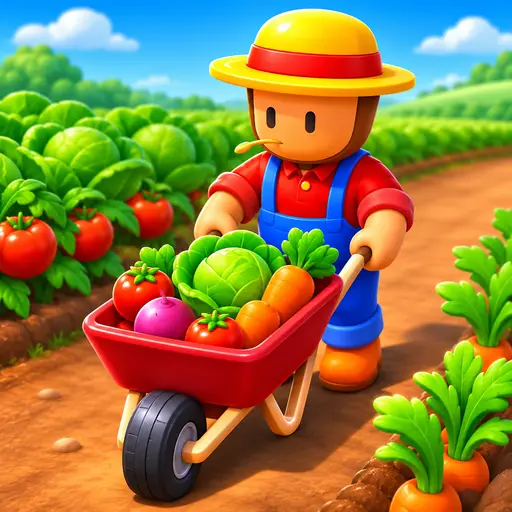
Crop Runner is a 3D casual farming simulation where you drive a harvesting machine through colorful fields, collecting crops and turning them into coins. The goal is straightforward: clear every field as fast as possible, sell your harvest, and use the profits to upgrade your equipment. You start with a basic harvester that has limited storage and modest speed, but with smart spending, you can transform it into a high-capacity farming powerhouse.
Harvest, Sell, and Upgrade
In Crop Runner, your machine automatically collects crops like corn, wheat, and pumpkins as you move across the field. A level is complete once every crop is gathered, but your harvester cannot hold everything at once. When your storage fills up, you need to head back and sell the load for in-game money. This creates a satisfying loop of driving, collecting, selling, and returning to finish the job.
The coins you earn are spent in the in-game shop on three main upgrades: speed, capacity, and size. You do not have to wait until a level ends to visit the shop — whenever you have enough coins, you can buy improvements right away. Upgrading storage capacity early means fewer trips back to sell, while boosting speed helps you cover ground faster. As your machine grows larger and quicker, clearing fields becomes much smoother.
Unlock New Fields
Progressing through the game unlocks new areas with different crops and larger layouts. Each new field presents a fresh challenge, requiring better upgrades to handle the increased workload efficiently. The 3D visuals keep the experience bright and readable, making it easy to spot remaining crops and plan your route.
If you enjoy casual games with simple progression loops, Crop Runner offers a relaxing change of pace compared to intense titles like Squid Game Pro. Players who like exploring open environments might also appreciate the freedom found in Minecraft Online, while those who prefer vehicle-based gameplay can try Truck Rider for a different kind of driving challenge.
Whether you play for a few minutes or settle in for a longer session, the constant cycle of harvesting and upgrading keeps things engaging. There are no complicated menus or hidden mechanics — just drive, collect, and grow your farming operation one field at a time.
How to Play Crop Runner
You begin each level by driving your harvester into a field filled with crops. Move over the plants to collect them automatically. Watch your storage meter closely, because once it reaches full capacity, you cannot pick up any more crops until you sell what you have.
Drive to the selling point to exchange your harvested crops for coins. Use these coins in the shop to upgrade your machine's speed, storage capacity, or physical size. You can purchase upgrades at any time during gameplay as long as you have enough money.
Your objective is to clear all crops from the current field to complete the level. Finishing levels unlocks new, larger fields with different crops to harvest. Keep upgrading your harvester continuously to handle the increasing demands of later stages.
Crop Runner Controls
- Arrow keys or WASD — steer the harvester
- Mouse click — navigate menus and shop
Features
- 3D casual farming simulation with simple controls
- Automatic crop collection as you drive through fields
- Three upgrade paths: speed, storage capacity, and machine size
- Multiple crops including corn, wheat, and pumpkins
- Progressive field unlocking with larger layouts
- In-game shop accessible at any time without pausing
Tips and Tricks
- Prioritize storage capacity upgrades first to reduce the number of trips back to sell crops.
- Invest in speed upgrades early so you can cover large fields much faster.
- Do not wait until the end of a level to buy upgrades; spend coins as soon as you can afford them.
- Plan your driving route to avoid crossing already-harvested empty areas unnecessarily.
- Keep an eye on your storage meter to prevent driving past ripe crops when your harvester is full.
More Games Like Crop Runner
FAQ
Yes, Crop Runner is completely free to play directly in your web browser. There are no downloads or purchases required to start harvesting.
Collect crops and sell them for coins. Open the in-game shop at any time to spend your coins on speed, capacity, or size upgrades for your machine.
Yes, the game runs in HTML5 and works on mobile browsers. Touch controls allow you to steer your harvester on phones and tablets.
When your harvester reaches its storage limit, it stops collecting crops. You must drive to the selling area to empty your load and earn coins before continuing.
Yes, as you progress and unlock new fields, you will encounter various crops including corn, wheat, and pumpkins across increasingly larger areas.