





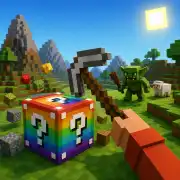




















Grow a Garden 3D
- Rating
- ★ 5.0/5
- Played
- 252
- Developer
- NISHAD_Games
- Category
- 3D
- Released
- 2026
- Last Updated
- July 31, 2026
- Technology
- HTML5
- Platforms
- Browser (desktop, mobile, tablet)
About Grow a Garden 3D
Step into a vibrant digital greenhouse with Grow a Garden 3D, a relaxing simulation game that lets you cultivate your own botanical paradise directly in your browser. Unlike traditional farming sims that focus on crop yields and profit margins, this title emphasizes the aesthetic and meditative aspects of horticulture. Players are tasked with designing and maintaining a lush garden space, selecting from a variety of flowers, shrubs, and decorative elements to create a personalized sanctuary. The 3D perspective allows for immersive exploration of your creation, letting you walk through the paths you have paved and admire the plants you have nurtured from seedlings to full bloom.
Creative Freedom and Relaxation
The core appeal of Grow a Garden 3D lies in its open-ended creative freedom. There are no strict timers or high-pressure objectives; instead, the game invites you to experiment with landscaping layouts and color palettes at your own pace. This makes it an excellent choice for players seeking a stress-free gaming experience after a long day. If you enjoy the satisfaction of watching a virtual ecosystem thrive but prefer puzzle-based progression over pure simulation, you might also appreciate GARDEN TALES 3 for its match-3 mechanics set against beautiful garden backdrops. Alternatively, for those who want a narrative-driven renovation experience, Gardenscapes offers a compelling story alongside garden restoration tasks.
A Browser-Based Botanical Escape
As a free HTML5 game, Grow a Garden 3D requires no downloads or installations, making it instantly accessible on desktop and mobile devices. The intuitive interface ensures that placing objects and navigating the terrain feels natural, whether you are using a mouse or touchscreen controls. While other titles like Kinder Garden cater to younger audiences with simplified mechanics, this game strikes a balance that appeals to casual gamers and gardening enthusiasts alike. Whether you are meticulously planning a flower bed or simply enjoying the ambient atmosphere, this simulation provides a satisfying digital connection to nature that fits perfectly into short play sessions or extended creative marathons.
How to Play Grow a Garden 3D
Begin by exploring the available plant catalog and selecting seeds or saplings to place in your designated plot. Use the placement tools to arrange flora and hardscaping elements, adjusting their position and rotation to achieve your desired layout.
Monitor the health and growth stages of your plants, ensuring they receive adequate care within the simulation's mechanics. Progression is typically tied to expanding your garden area and unlocking new decorative items as you develop your space.
Navigate your garden in third-person or first-person view to inspect your work from different angles. Save your progress regularly to preserve your designs and continue building your dream landscape in future sessions.
Grow a Garden 3D Controls
- WASD / Arrow Keys — Move character
- Mouse — Look around / Select items
- Left Click — Place object / Interact
- Right Click — Rotate object / Cancel
- E — Open inventory / Menu
Features
- Immersive 3D garden environment with free-roam camera
- Extensive library of plants, trees, and decorative objects
- Relaxing sandbox gameplay with no time limits or fail states
- Intuitive drag-and-drop landscaping tools
- Responsive design compatible with desktop and touch screens
- Instant browser access with no installation required
Tips and Tricks
- Start with a central focal point like a fountain or large tree before expanding outward.
- Group plants with similar colors together to create visually cohesive flower beds.
- Use pathways to guide the eye and create natural flow through your garden design.
- Experiment with elevation changes to add depth and visual interest to flat terrains.
- Save multiple versions of your garden to test different layouts without losing previous work.
More Games Like Grow a Garden 3D
FAQ
Yes, the game is completely free to play directly in your web browser with no hidden costs or premium subscriptions required.
Absolutely. The game is built with HTML5 technology and features responsive controls optimized for both smartphones and tablets.
An active internet connection is needed to load the game initially, but performance depends on your browser's ability to cache assets.
This title is primarily a single-player creative sandbox focused on personal expression rather than competitive or cooperative multiplayer modes.
Gameplay Video
Watch a quick gameplay preview, then find Grow a Garden 3D on your favorite store.