
















Voxel Terraform
- Rating
- ★ 4.3/5
- Played
- 379
- Category
- 3D
- Released
- 2026
- Last Updated
- August 13, 2026
- Technology
- HTML5
- Platforms
- Browser (desktop, mobile, tablet)
About Voxel Terraform
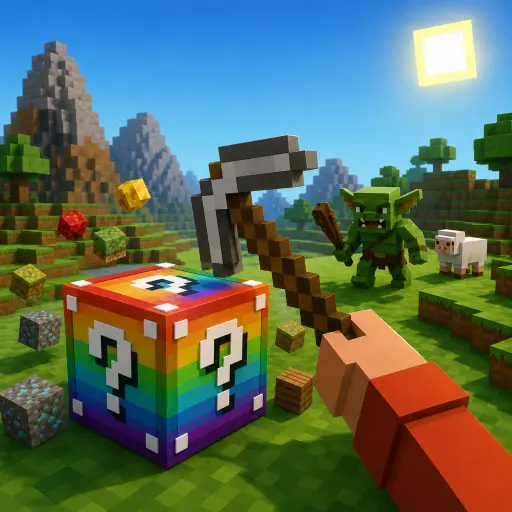
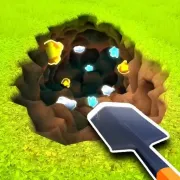
Voxel Terraform invites players into a relaxing yet engaging 3D sandbox experience where creativity meets strategic planning. As the name suggests, the core gameplay revolves around reshaping voxel-based landscapes to meet specific objectives or simply to express your artistic vision. Unlike high-pressure survival games, Voxel Terraform focuses on the satisfying mechanics of terrain manipulation, allowing you to raise mountains, carve rivers, and paint biomes with intuitive tools. The blocky aesthetic will feel immediately familiar to fans of Minecraft Online, but this title distinguishes itself through streamlined terraforming mechanics designed specifically for browser play.
Creative Freedom in a Voxel World
The primary goal in Voxel Terraform is to modify the environment using a suite of digital landscaping tools. Players can adjust elevation, change surface textures, and place decorative elements to transform barren grids into lush ecosystems or futuristic cityscapes. The game runs smoothly in HTML5, making it accessible without downloads while retaining the depth expected from 3D simulation titles. If you enjoy the spatial puzzles and merging mechanics found in Voxel Merge 3D, you will appreciate how Voxel Terraform applies similar voxel logic to open-ended world-building rather than competitive matching.
A Calm Alternative to Survival Games
While many voxel games focus on combat or resource gathering, Voxel Terraform offers a peaceful alternative that prioritizes creation over destruction. There are no enemies to fight or hunger meters to manage; instead, progression is driven by your ability to master the editing tools and complete optional landscape challenges. This makes it an excellent choice for players who want the visual style of Online game Minecraft Classic without the survival stress. Whether you are sculpting a detailed mountain range or experimenting with color palettes, the game provides immediate visual feedback that makes every edit feel impactful and rewarding.
How to Play Voxel Terraform
Start by selecting a tool from the interface toolbar to begin modifying the terrain. Left-click to apply changes such as raising ground level or painting grass, while right-click often reverses the action or selects alternate materials depending on the current mode.
Navigate the 3D space to inspect your work from different angles before finalizing large-scale changes. Use the zoom and rotation functions to ensure precision when working on detailed areas or hard-to-reach cliffs.
Complete designated terraforming tasks to unlock new biomes and advanced editing tools, or switch to free-build mode to create without restrictions. Save your progress regularly to preserve your unique landscape designs.
Voxel Terraform Controls
- WASD — Move camera
- Mouse Drag — Rotate view
- Left Click — Apply tool / Raise terrain
- Right Click — Reverse tool / Lower terrain
- Scroll Wheel — Zoom in/out
- Number Keys — Select tool slot
Features
- Intuitive 3D terrain editing tools
- Peaceful sandbox gameplay without combat
- Lightweight HTML5 browser performance
- Multiple biome types and texture palettes
- Free-build and objective-based modes
- Responsive camera controls for precision
Tips and Tricks
- Use lower brush opacity for gradual elevation changes to create natural-looking slopes.
- Rotate the camera frequently to avoid creating unintended flat surfaces or visual artifacts.
- Start with broad strokes to establish the base terrain before adding fine details.
- Experiment with different biome combinations to discover unique color transitions.
- Save incremental versions of your map to easily revert if a large edit goes wrong.
More Games Like Voxel Terraform
FAQ
Yes, Voxel Terraform is completely free to play directly in your web browser with no downloads or purchases required.
The game supports touch controls for tablets and phones, though a mouse and keyboard provide the most precise editing experience for complex terrain.
No, this is a single-player creative sandbox focused entirely on solo world-building and terrain design.
Use the in-game save function to store your landscape locally; some versions may also offer export options for sharing designs.
Any modern browser with WebGL support should run the game smoothly, as it is optimized for lightweight HTML5 performance.